
Case Study: Coffee Machine
ROLE
UI/UX Designer
TIMELINE
Jan 2026 - Feb 2026
SKILLS
- Interaction Design
- UI/UX Design
- User Research
SOFTWARES
- Excalidraw
- Figma
Introduction
The goal was to design the interface for a new type of shared coffee machine, specifically tailored for industrial settings like hotels and large offices. This machine needed to serve a diverse user base, ranging from casual guests to busy employees, all seeking a quick and high-quality coffee experience. The design challenge lay in creating an intuitive, efficient, and user-friendly interface that could accommodate various preferences while maintaining the robustness required for a high-traffic environment.
Actions
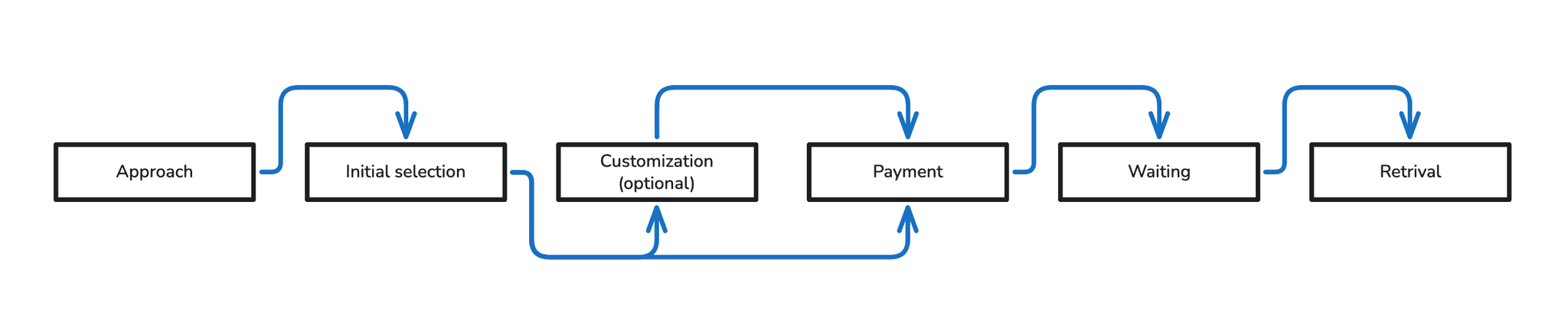
I observed the way users interact with both existing coffee machines and general vending machines, paying close attention to their natural behaviors, pain points, and typical workflows. This observational study was crucial in understanding the unspoken needs and common frustrations that often arise in public vending scenarios. Through this process, I identified several key stages and actions users typically undertake when operating these machines:
- Approach: The user approaches the machine.
- Initial Selection: The user examines the available options (e.g., espresso, cappuccino, tea).
- Customization: The user modifies the drink (e.g., strength, sugar quantity, milk).
- Payment: The user inserts coins, uses a card, or a badge.
- Waiting: The user waits for the drink to be dispensed.
- Retrieval: The user takes the drink and, if necessary, accessories like a stir stick or sugar.
This analysis allowed me to map the "user flow" and identify critical moments where the interface could either simplify or complicate the experience.
Wireframing & User Flow
Wireframes
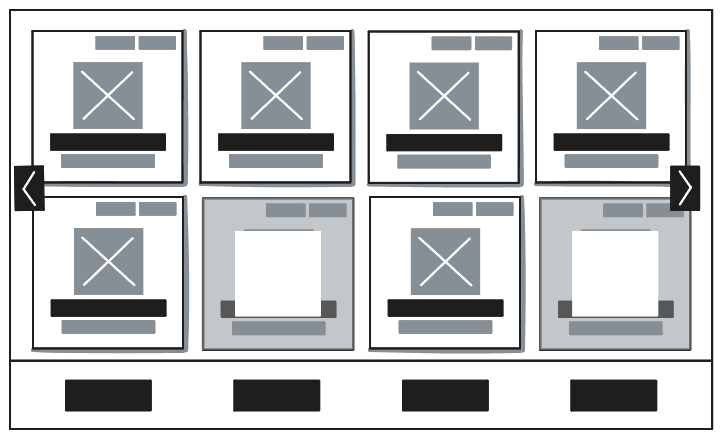
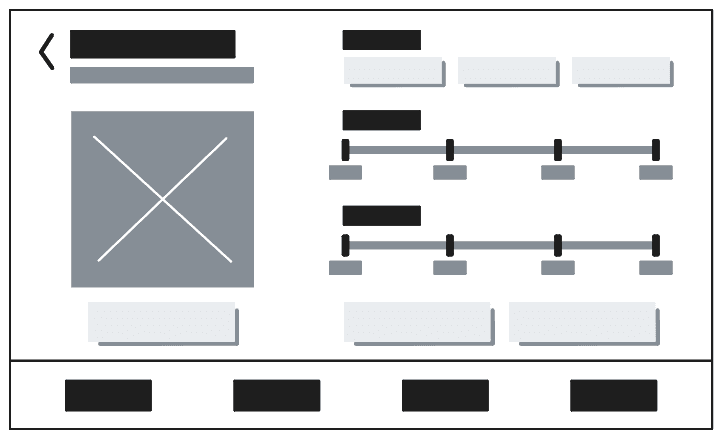
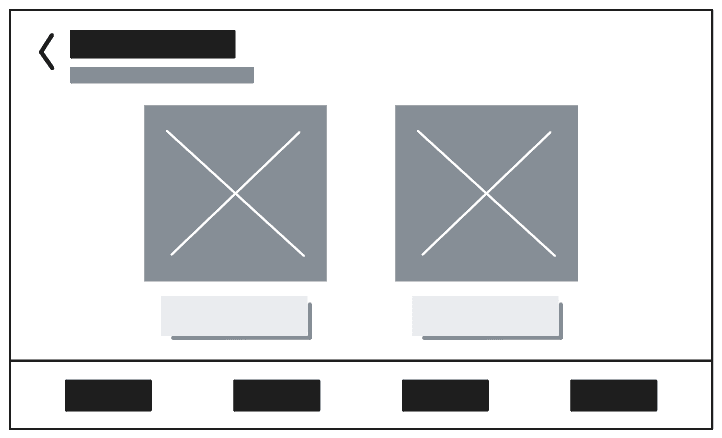
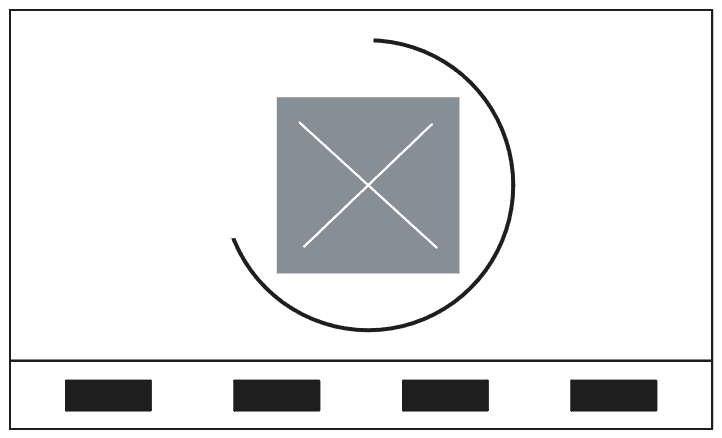
Following the analysis of user flows and requirements, the next step involved translating these insights into concrete visual structures. Wireframing allowed for a rapid exploration of different layout options and interaction patterns, focusing on functionality and information hierarchy without being distracted by visual aesthetics. The following iterations illustrate the design process from initial concepts to refined structures, covering the key steps of selection, customization, payment, and dispensing.
User Flow
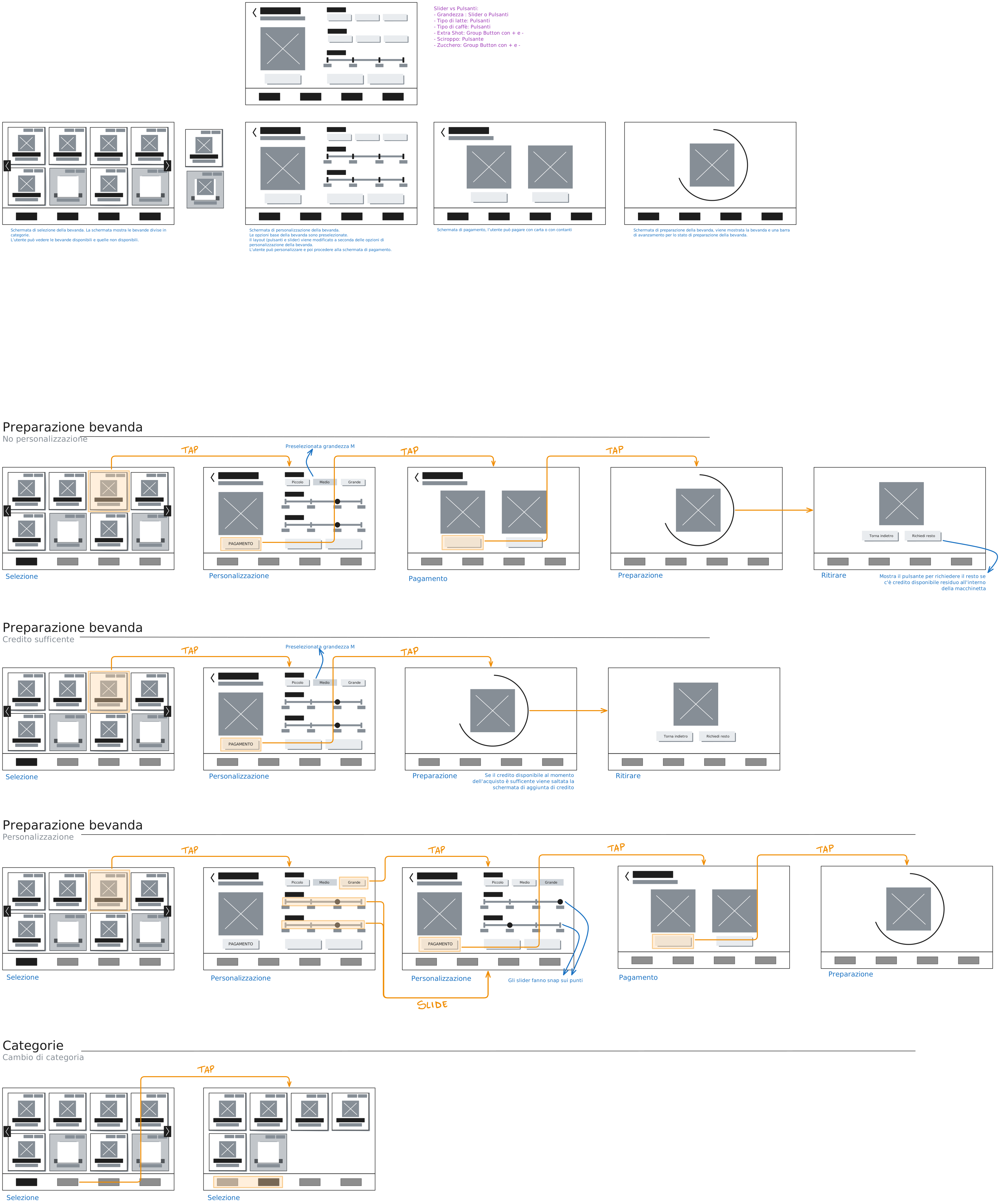
The comprehensive user flow diagram visualizes the complete journey, from initial interaction to final beverage delivery. This detailed mapping helps identify potential bottlenecks and ensures a seamless and logical progression through the interface. Each step is designed to be intuitive, minimizing cognitive load and reducing the chance of user error. The flow was refined through iterative testing, ensuring that the interface guides users effectively while providing necessary flexibility. Key considerations included minimizing decision fatigue at each stage and providing clear feedback at every transition. This holistic view was instrumental in validating the sequence of screens and interactions defined by the wireframes.
UI Design / Visual Design
With the core structure and user flow established through wireframing, the next phase focused on bringing the interface to life with a comprehensive UI design. The goal was to translate the functional layouts into a visually appealing and intuitive experience that aligns with the premium environment of hotels and modern offices. Emphasis was placed on clarity, accessibility, and a clean aesthetic, utilizing a carefully selected color palette, typography, and iconography to guide the user seamlessly through each step. The visual design aims to convey sophistication and ease of use, ensuring that the interaction with the coffee machine feels as premium as the beverage itself.
Color Palette
The chosen color palette plays a critical role in establishing the machine's brand identity and guiding user interaction. A foundation of clean, neutral tones ensures a modern and unobtrusive appearance that blends seamlessly into various upscale environments. Accent colors were strategically introduced to highlight interactive elements, provide feedback, and draw attention to crucial information, enhancing usability and reducing cognitive load. For instance, warm tones might indicate "ready" or "dispensing," while cooler shades delineate inactive or background elements. The palette was also selected with accessibility in mind, ensuring sufficient contrast for readability across different lighting conditions.
Core Interface Colors
These foundational colors define the overall look and feel of the interface, providing clarity and contrast.
Ingredient Representation
Colors for ingredients were carefully selected to provide intuitive visual cues and enhance recognition, aligning with real-world associations.
Typography
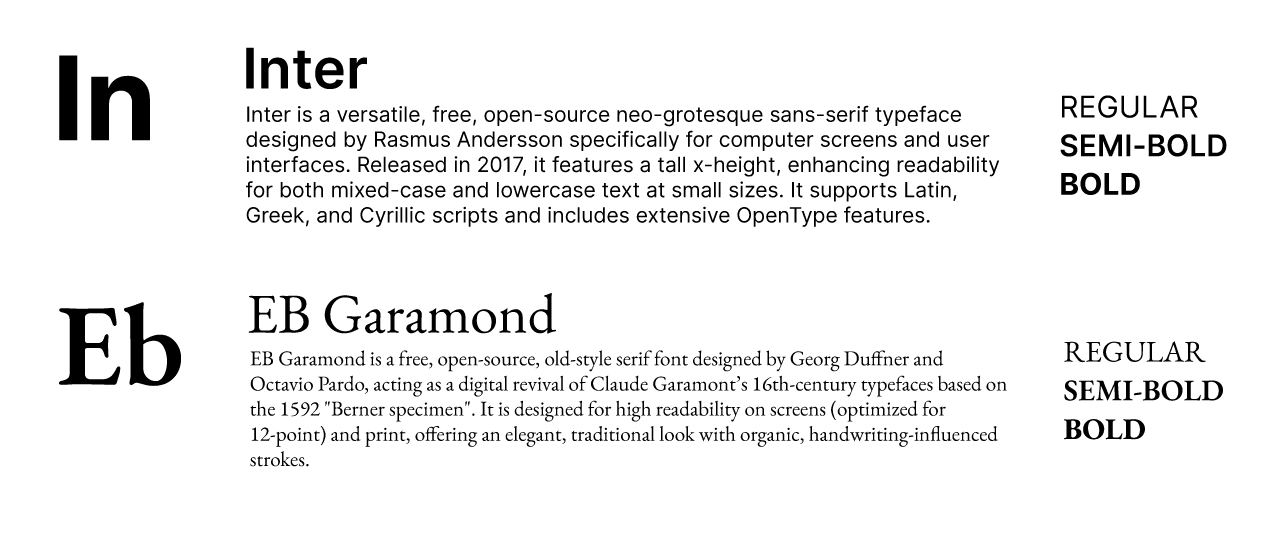
Typography was carefully selected to ensure optimal readability, establish a clear information hierarchy, and contribute to the overall premium feel of the interface. A combination of typefaces was utilized: a sans-serif for primary content ensures crispness and legibility on digital displays, especially for instructions and menu items. A complementary typeface, possibly a more expressive sans-serif or a subtle hand-drawn style (like Gochi Hand for specific elements), was chosen for headings, captions, or interactive buttons to add character and reinforce the brand's friendly yet sophisticated tone. Font sizes and weights were meticulously defined across all screen states to maintain consistency and guide the user's eye to the most important information first, adhering to accessibility standards for visual impairments.
Figma File & Prototype
To provide a comprehensive view of the design system and interactive experience, both the complete Figma design file and a navigable prototype are embedded below. These resources allow for a deeper exploration of the project's structure, component library, and the actual user journey.