
BuddiUI - Design system
ROLE
UI/UX Designer
TIMELINE
Dec 2026 - Feb 2026
SKILLS
- Interaction Design
- UI/UX Design
- Figma Design System
SOFTWARES
- Figma
Why I created the design system
Buddi UI is the mobile design system created for Buddiqo, translating its Nuxt UI-based web interface into a mobile-native system.
Rather than adapting the interface visually, the project restructures components to meet mobile usability standards — redefining touch target sizing, spacing scales, and layout logic. The result is a scalable, token-driven foundation that ensures consistency across platforms while improving clarity and accessibility for mobile users.
Designing for context
Nuxt UI provides a solid and coherent foundation for web interfaces. Spacing, component logic, and state management were already structured and reliable.
Desktop components aren't broken. They're just solving a different problem — and mobile demands a reinterpretation, not a patch.
Many components were designed with desktop interactions in mind — hover states, compact input heights, typography scales optimized for larger screens. Translating them directly to mobile exposed a contextual gap that a superficial adaptation couldn't fix.
| Nuxt UI (Web) | BuddiUI (Mobile) | |
|---|---|---|
| Touch targets | Nuxt UI (Web)Undefined | BuddiUI (Mobile)Min 44px |
| Semantic tokens | Nuxt UI (Web) | BuddiUI (Mobile) |
| Dark mode | Nuxt UI (Web) | BuddiUI (Mobile)Architecture ready |
| Hover states | Nuxt UI (Web) | BuddiUI (Mobile) |
| Tap feedback | Nuxt UI (Web) | BuddiUI (Mobile) |
| WCAG AA | Nuxt UI (Web)Partial | BuddiUI (Mobile) |
Proportions and interaction patterns
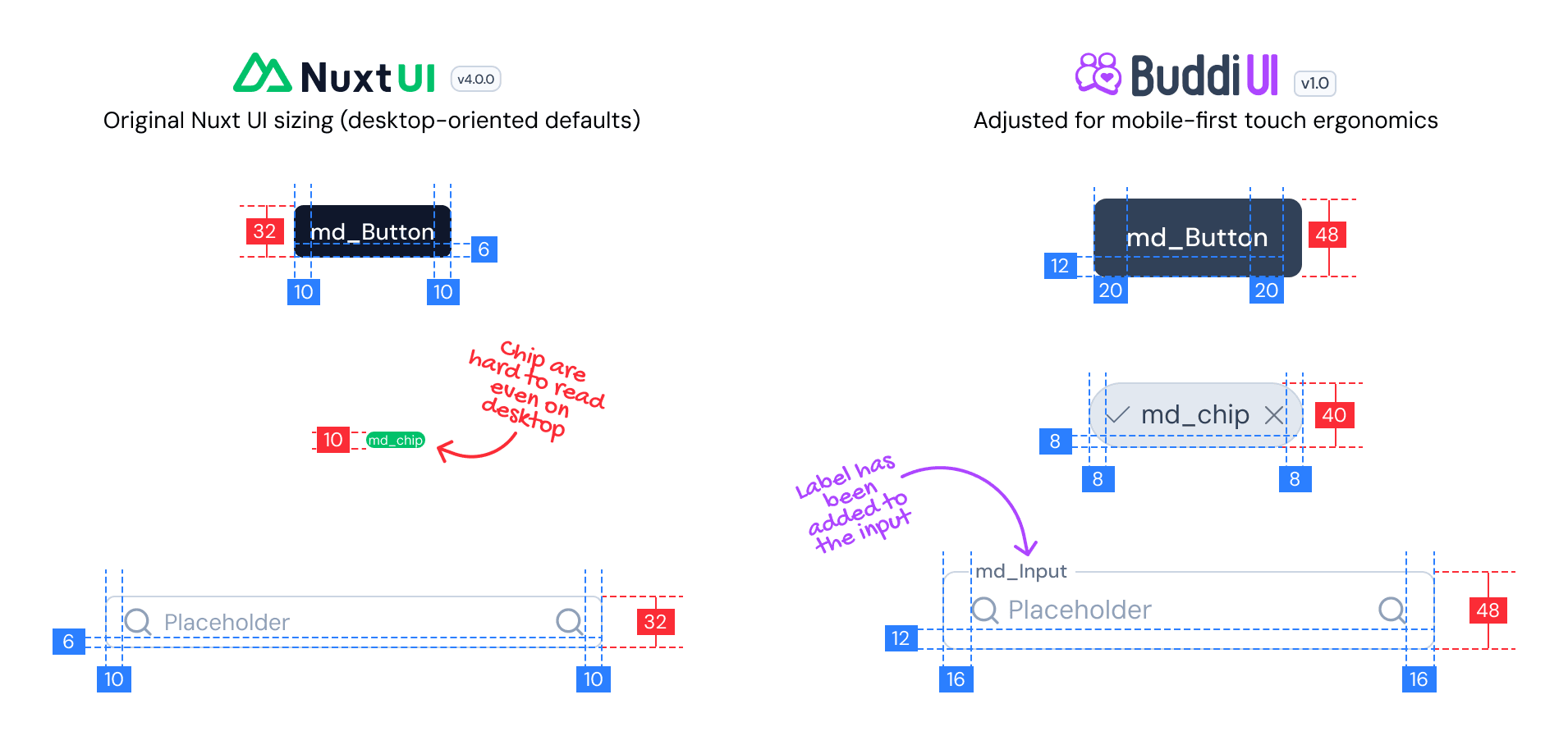
For mobile, I redefined component proportions and recalibrated typographic scales to improve readability and ergonomic comfort — ensuring that interfaces felt intentional rather than simply reduced.
Interaction model adaptation
Desktop interfaces rely heavily on pointer-based states such as hover. In a mobile environment, interaction must be explicit and tactile — every element needs to communicate feedback through touch alone.
- Hover as the only feedback state
- Input height 32px, designed for cursor use
- Touch targets undefined
- Tap states with explicit feedback
- Input height 48px, ergonomic for thumb use
- Minimum 44px touch target on all elements
The goal was to preserve logical consistency while redefining behavioral patterns.
System foundation & token structure
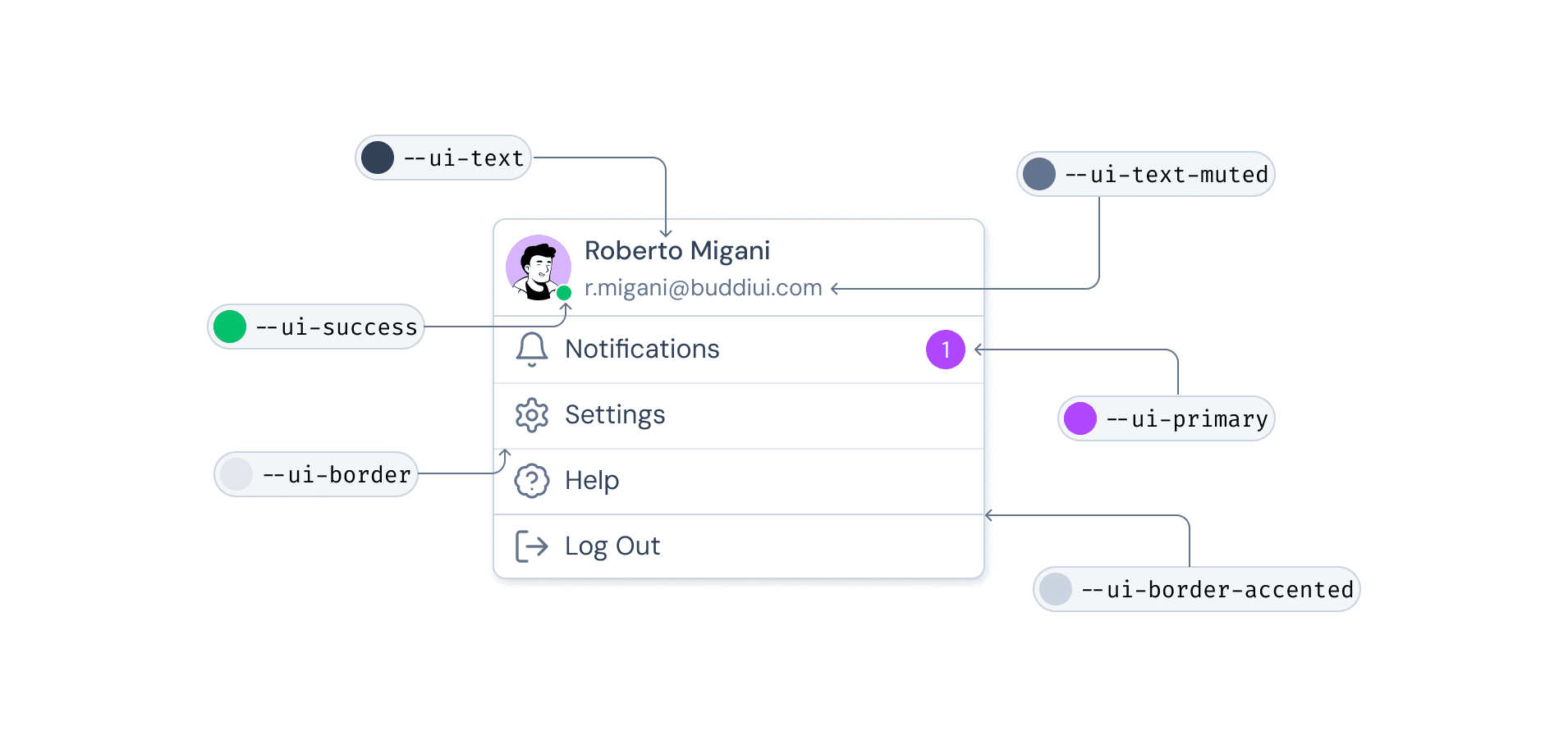
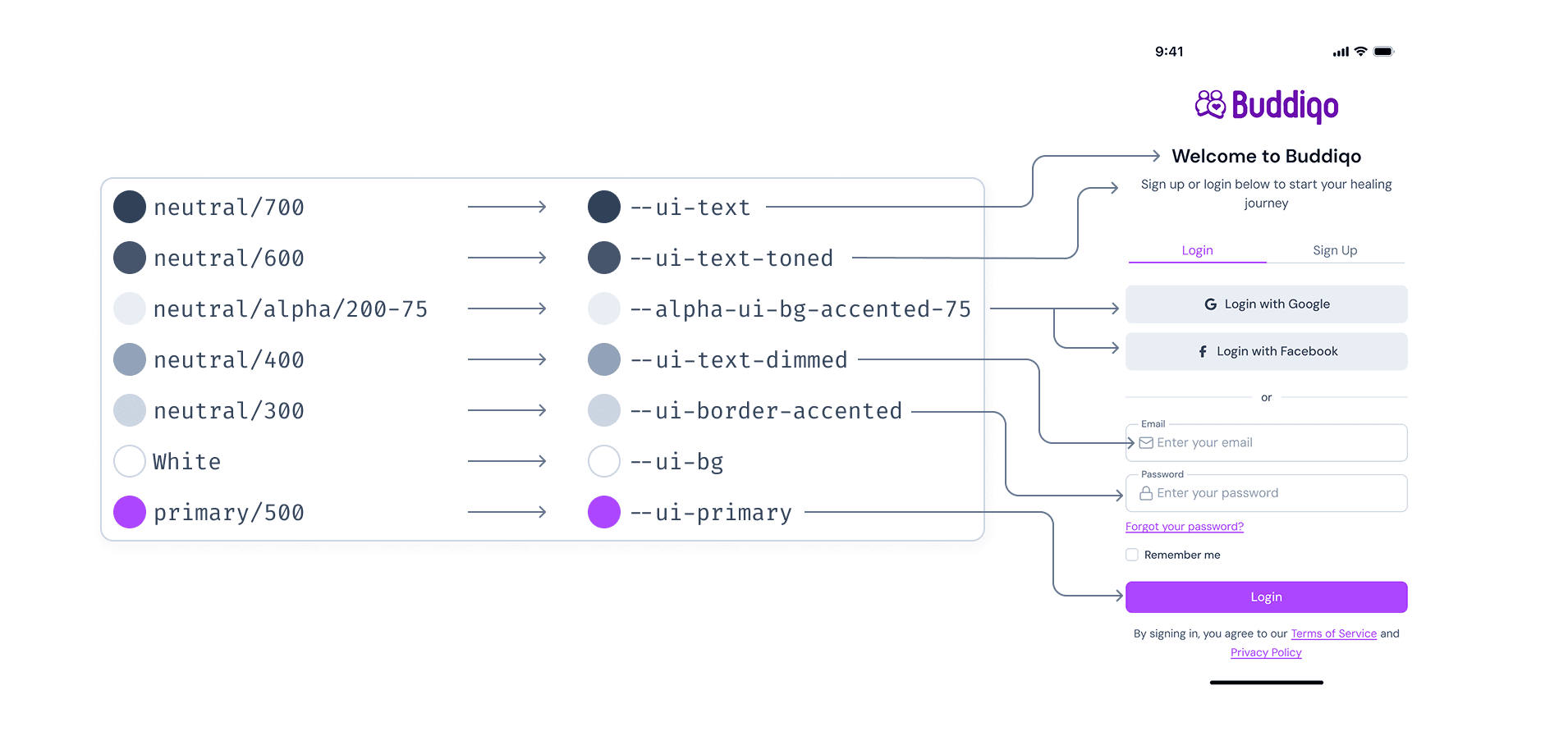
To maintain scalability, the mobile system was structured around semantic design tokens. Rather than relying on hard-coded values, variables ensure consistency across components and future extensibility.
Primitive tokens
Define the raw palette, the foundational values that everything else references.
Semantic tokens
Describe behavior. References like --ui-text-highlighted drive consistency across all components.
Components
Consume semantic tokens — never hardcoded values — ensuring global changes propagate cleanly.
Why semantic tokens?
Change one token and the entire system updates consistently. No hardcoded values scattered across components.
Dark mode ready
Dark mode isn't implemented yet, but the token architecture already supports it — a token swap, not a redesign.
Colour system
The colour system maintains consistency with the Nuxt UI foundation while introducing a clearer token structure tailored for mobile. Primitive tokens define the raw palette, semantic tokens describe how colours behave — this separation ensures flexibility without increasing complexity.
Surface levels were carefully defined to create depth and hierarchy across mobile layouts. Core colour combinations were verified against WCAG 2.1 AA standards to ensure sufficient contrast for text and interactive elements.
Components
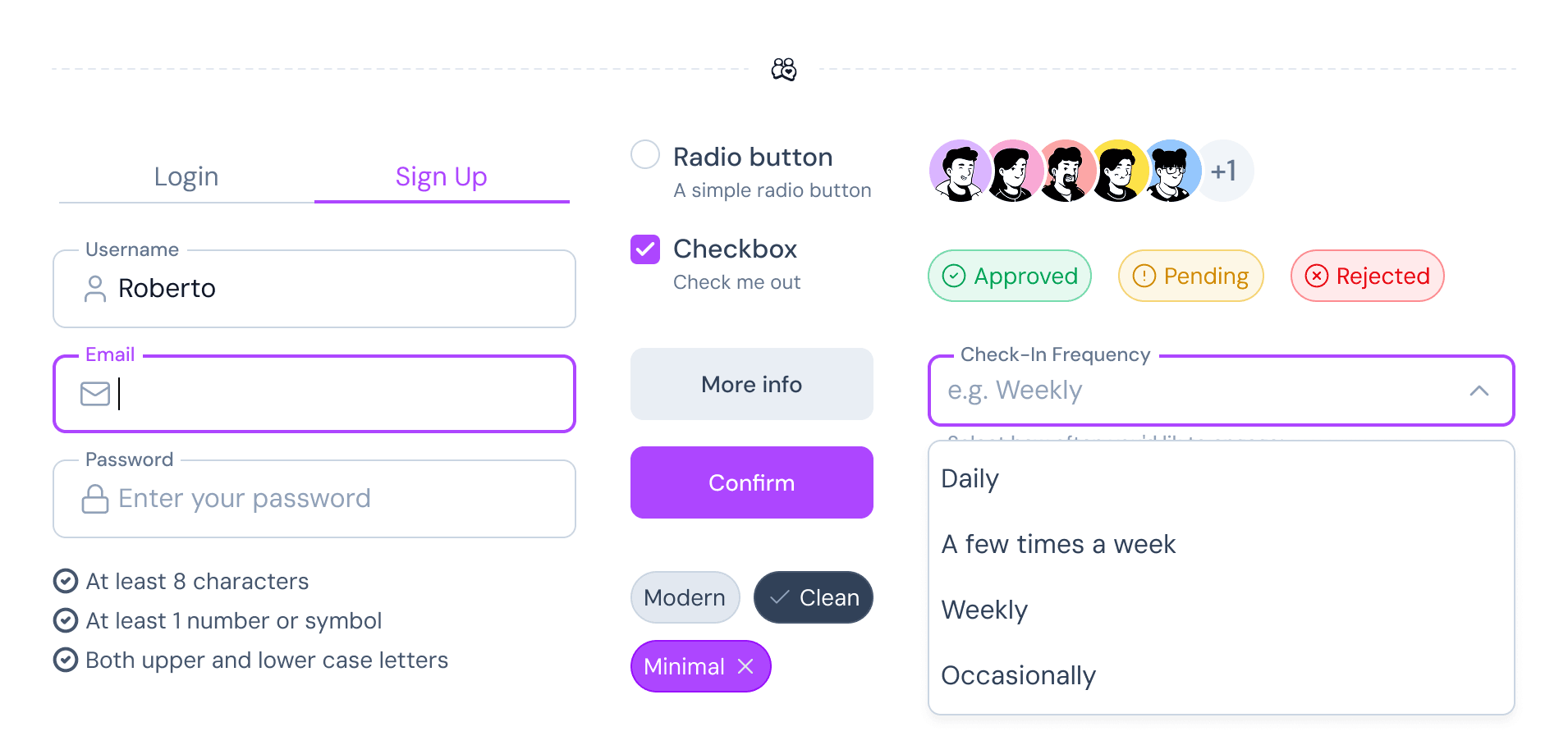
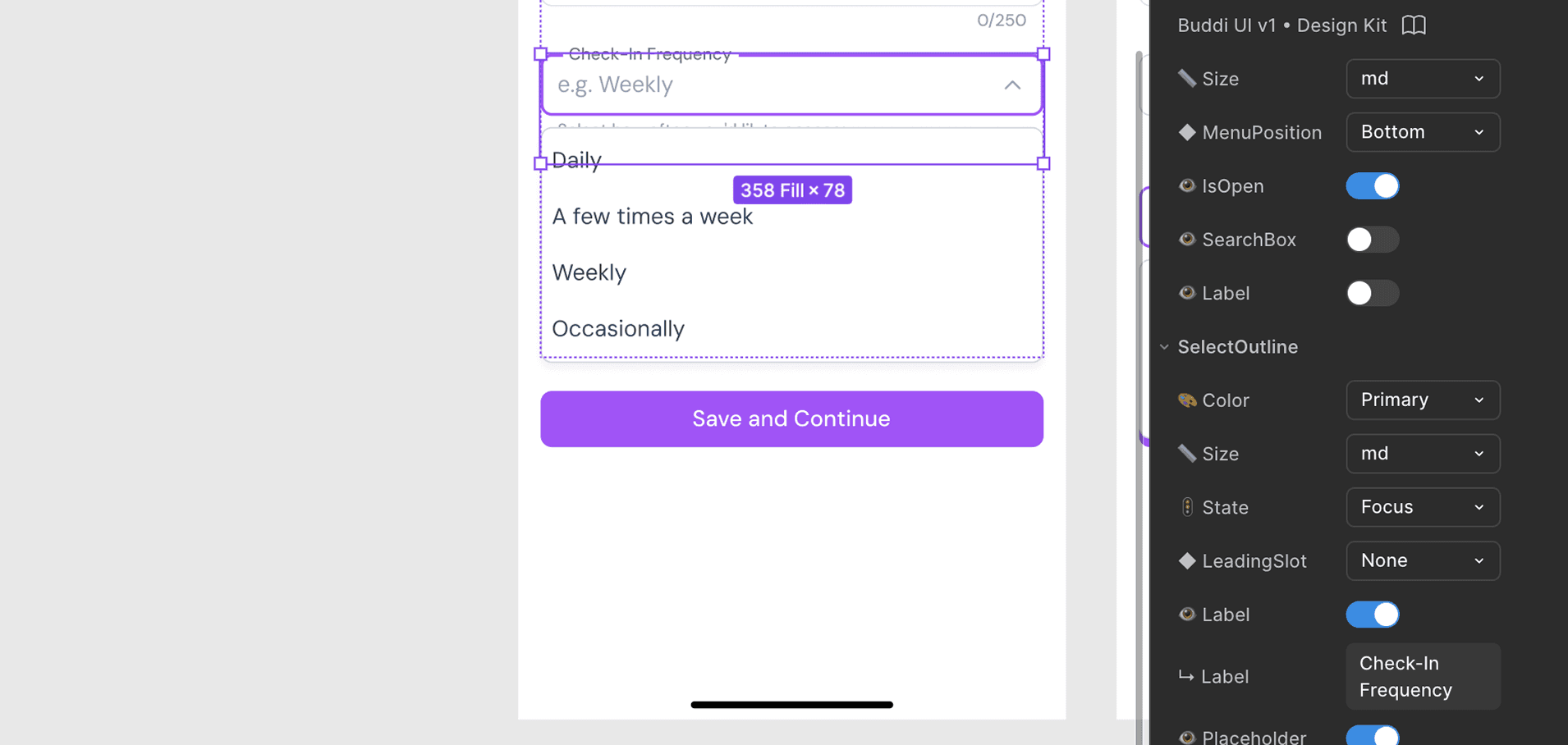
Buddi UI components were built to be flexible without becoming complex. Each component includes structured variants and clearly defined properties, allowing quick configuration while maintaining consistency.
Size variations, boolean properties, slot-based text, and instance swaps for icons make components adaptable without breaking the system logic.
Validated through real interfaces
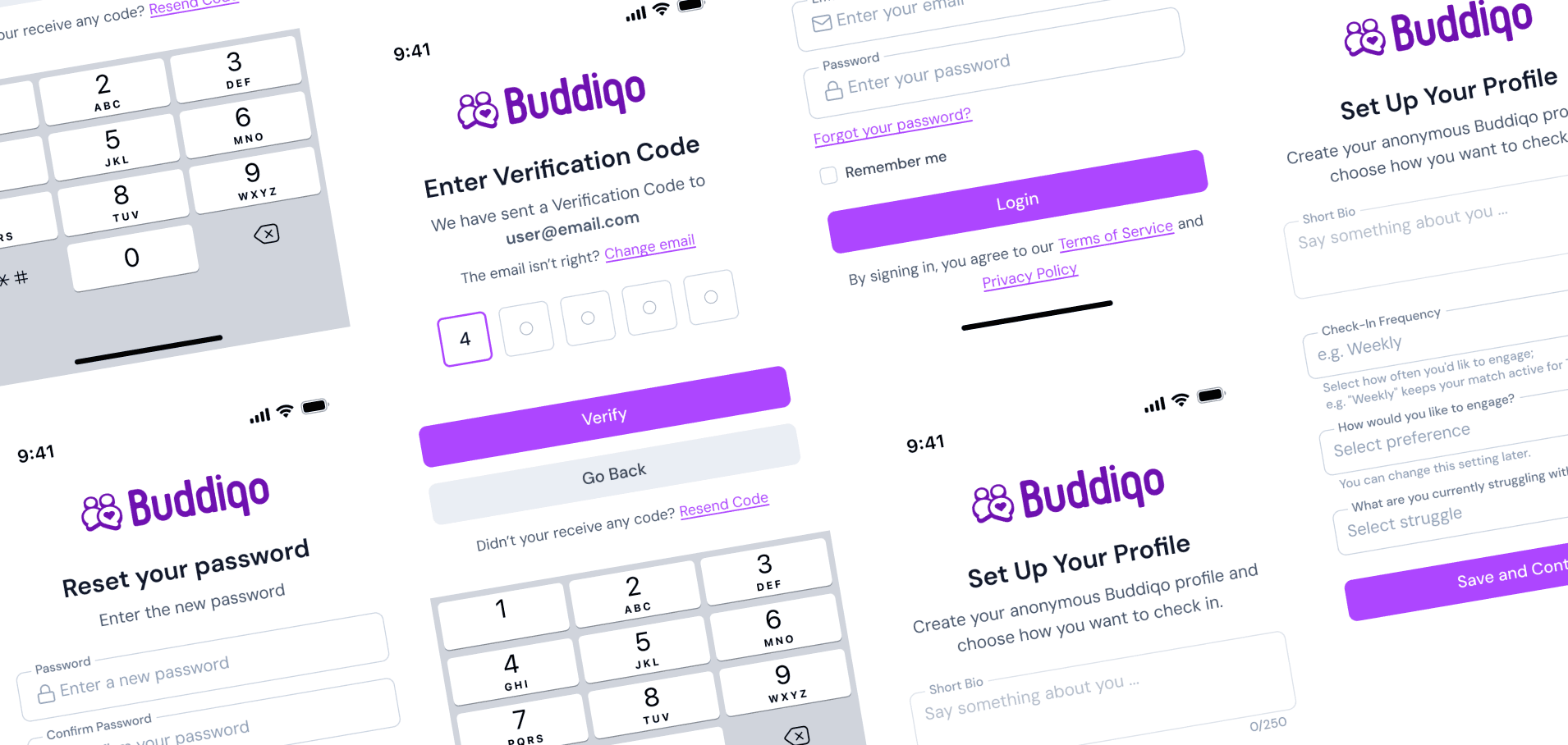
The system was validated by assembling complete mobile screens and flows. Designing full layouts helped identify edge cases, spacing inconsistencies, and state conflicts early — refining components beyond isolated examples.
Components aren't static assets. They're part of a living, testable ecosystem — and real screens are the only honest test.
Conclusion
Buddi UI represents a structured translation of an existing web system into a mobile-first framework. By redefining proportions, interaction logic, and token architecture, the system maintains consistency while improving clarity, scalability, and usability across contexts.