
Anvil - From Code to Figma
ROLE
UI/UX Designer
TIMELINE
Feb 2026 (2 days)
SKILLS
- UI/UX Design
- Figma Design System
- Front End Development
- Accessibility
SOFTWARES
- Figma
- Claude Code
The Problem I Wanted to Solve
There's a common and frustrating scenario: you have a design system living in code (built over time, inherited from a previous project, or generated from scratch) and at some point you need to bring it into Figma to collaborate with a design team, to present it to a client or to document it visually without rebuilding it component by component by hand.
The question I asked myself: can Claude Code and figma-console-mcp automate this transition: from a system documented in HTML to a live, usable design system in Figma?
This is an attempt. Not a solution. The verdict is honest.
The Setup
I called the system Anvil because the idea was to forge something solid using AI as an industrial tool, not a shortcut. I gave myself two days, starting from scratch, with Claude Code as the sole generation tool.
The concrete scenario I had in mind: a designer-developer with an existing code-based system who wants the Figma equivalent without rebuilding it by hand.
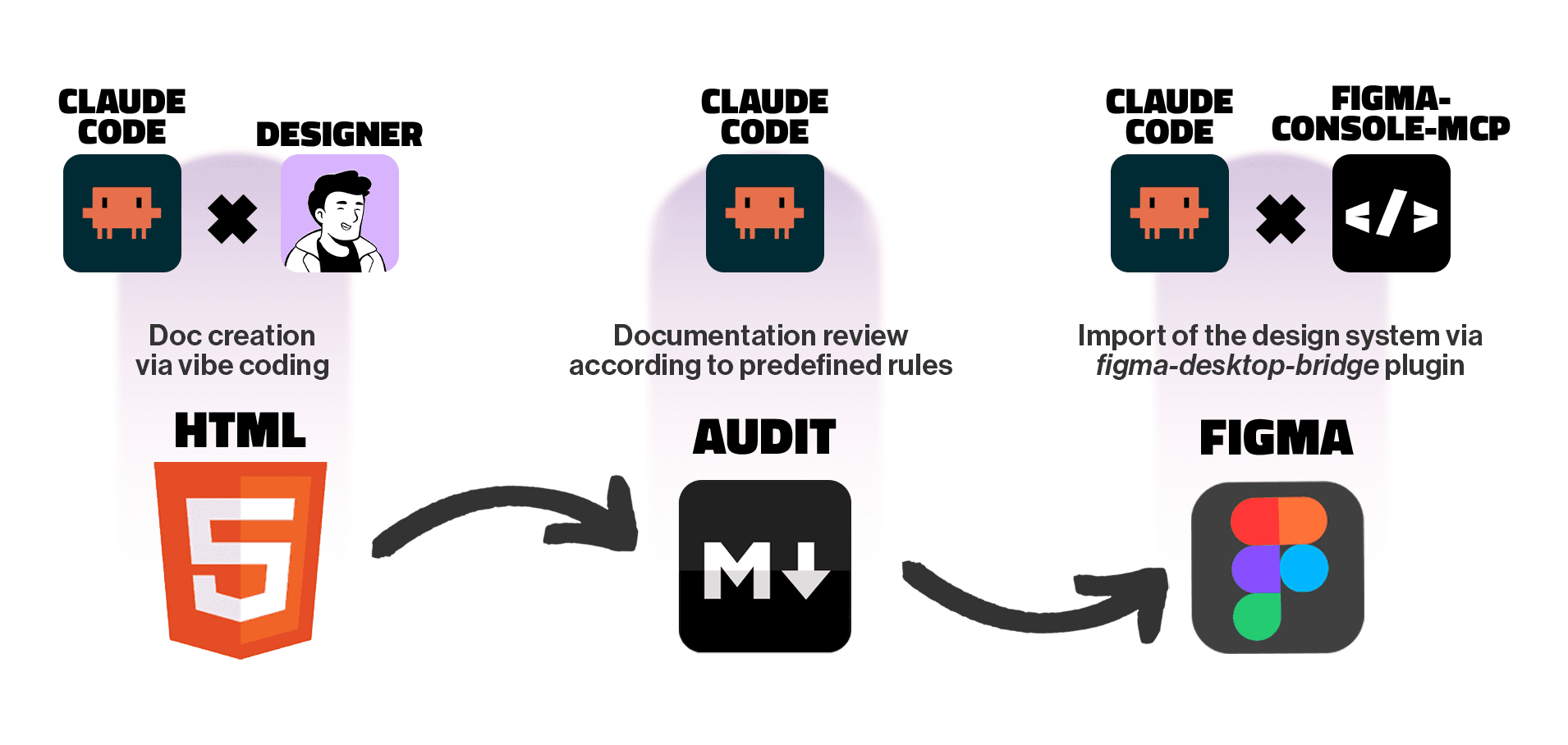
The planned flow was linear:
- Generate the design system in HTML with Claude Code
- Document it with a rigorous token-based architecture
- Import it into Figma via
figma-console-mcpwithfigma-desktop-bridge - Evaluate whether the result is usable
Phase 1 — Generating the System with Claude Code
The first sessions went better than expected. I set up a two-layer token architecture (primitives and semantics) and Claude Code respected the structure with surprising consistency. Every component consumed only semantic tokens, never primitives directly.
In two days and seven iteration phases, the system reached broad coverage: typography, colors, spacing, borders, over twenty components spanning navigation, forms, feedback, and layout. This wasn't a prototype it was a system with solid internal logic.
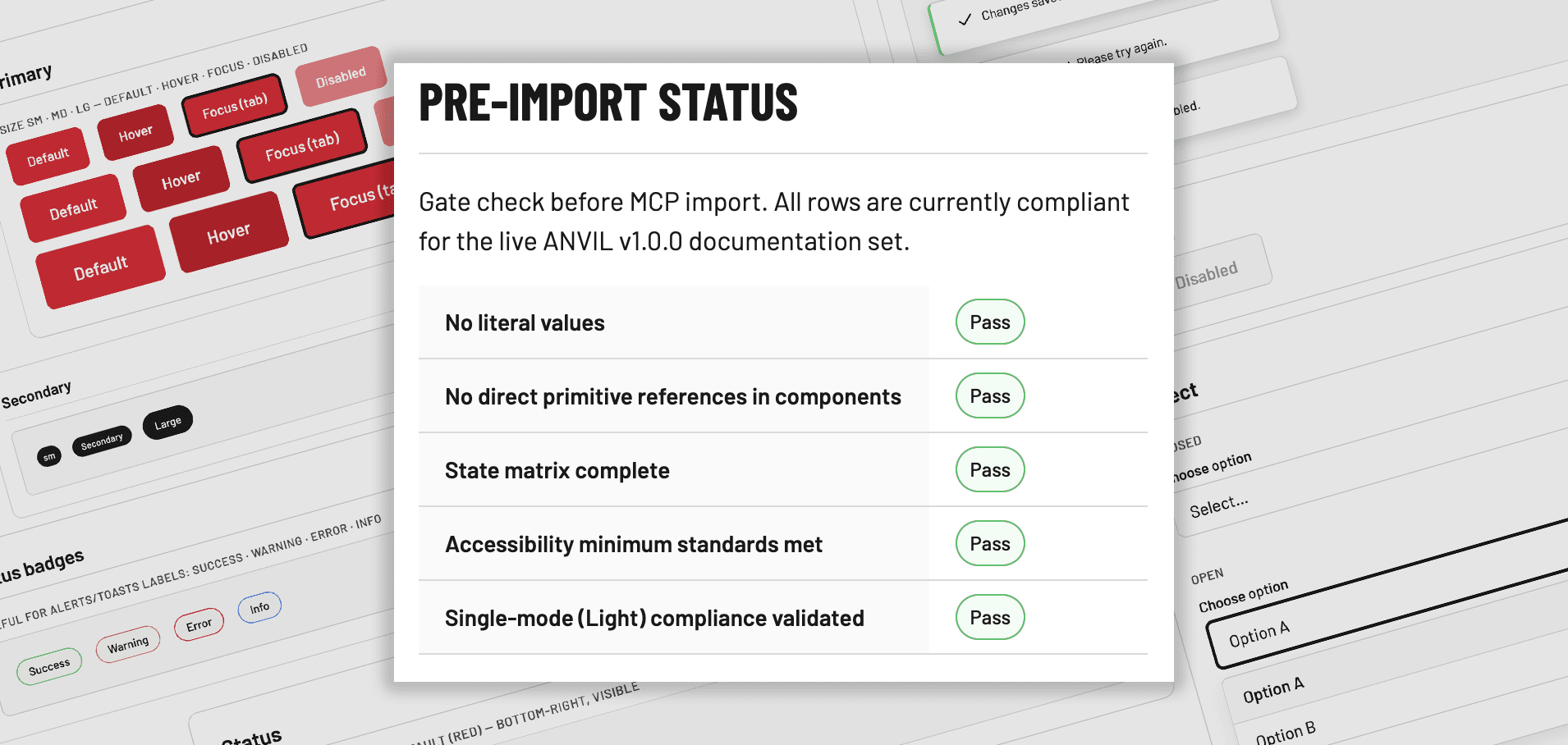
The real work wasn't generating components. It was guiding Claude through corrections. Each phase had specific issues: surviving hardcoded values, direct primitive references in some states, touch targets below 44px, insufficient shimmer contrast. I found them, documented them, fixed them with Claude.
Claude Code didn't generate a design system we built it together, with me as design director and Claude as executor. The difference isn't subtle.
The most useful tool in the entire process was the audit file I wrote before the import a document with precise criteria that Claude read, executed, and returned with results.
## Pre-MCP Audit Checklist

### Token Enforcement
- [ ] Zero hardcoded values in components
- [ ] No direct references to primitive tokens
- [ ] Alias migration complete and documented

### Accessibility
- [ ] Minimum 44px touch target via --sp-touch
- [ ] Focus ring on all interactive elements via --c-state-focus
- [ ] Shimmer contrast AA compliant

### Figma Mapping
- [ ] Naming pattern: color/{group}/{role}/{state}
- [ ] Naming pattern: space/{scale}
- [ ] Complete mapping tables for each categoryPhase 2 — The Figma Import via figma-console-mcp
This is where the attempt hit its real limits.
For the import I used figma-console-mcp with figma-desktop-bridge not Figma's official MCP server, but the most widely used and capable community tool. Unlike the official server, which is primarily read-only, figma-console-mcp accesses the Figma plugin API directly and can write, create components, and modify variables. It was the most powerful tool available. If it didn't work here, it's not a tool selection problem.
The import result wasn't completely unusable but it was far from the goal. Here's what worked and what didn't:
What arrived correctly: variables were imported, components have their variants, the structure is recognizable.
What didn't work: the imported variables are not connected to the components. Colors, fonts, and spacing in the layers are hardcoded values the variables exist in the file but aren't used. The primitive → semantic separation, rigorous in code, is completely absent in Figma. The components are visually imprecise compared to the HTML documentation.
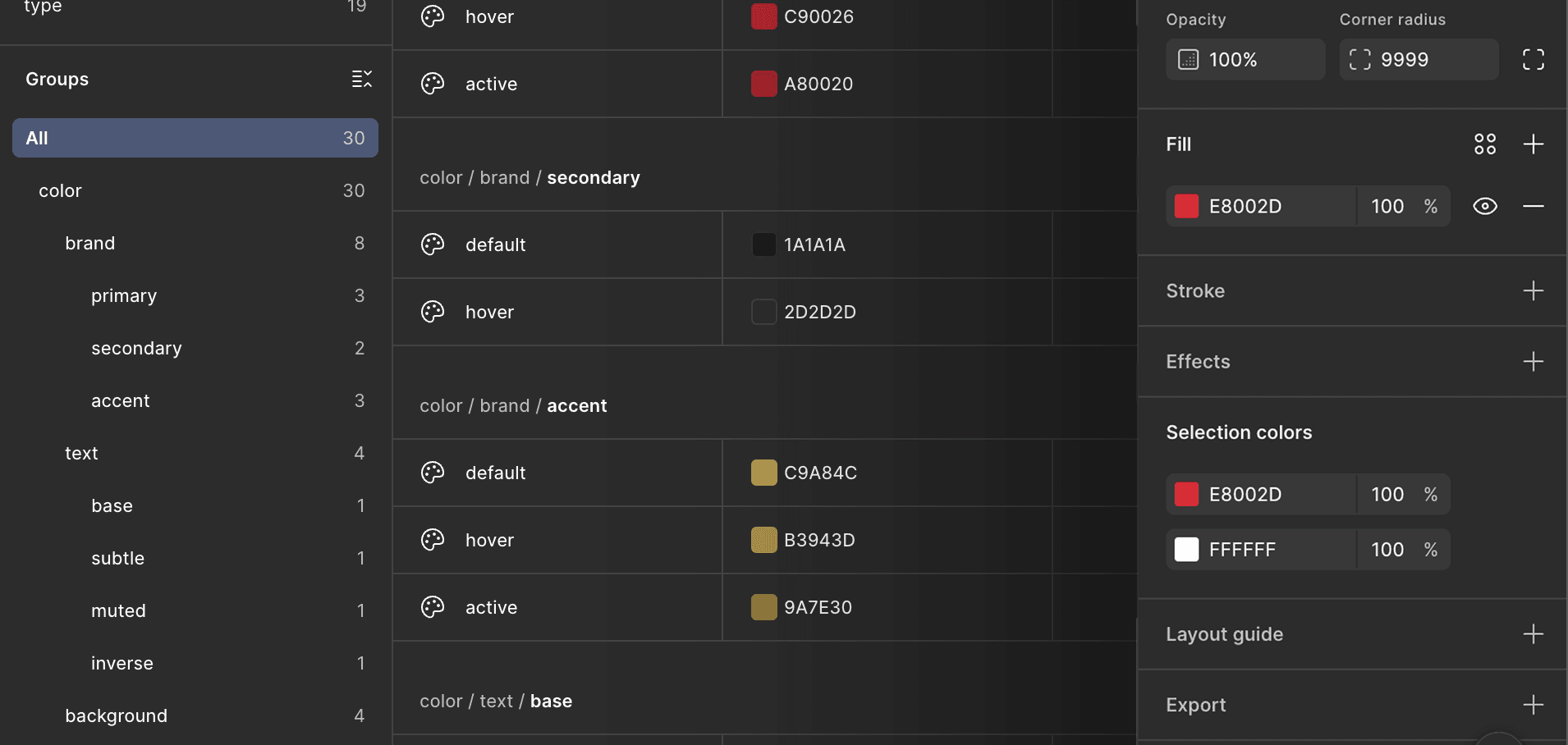
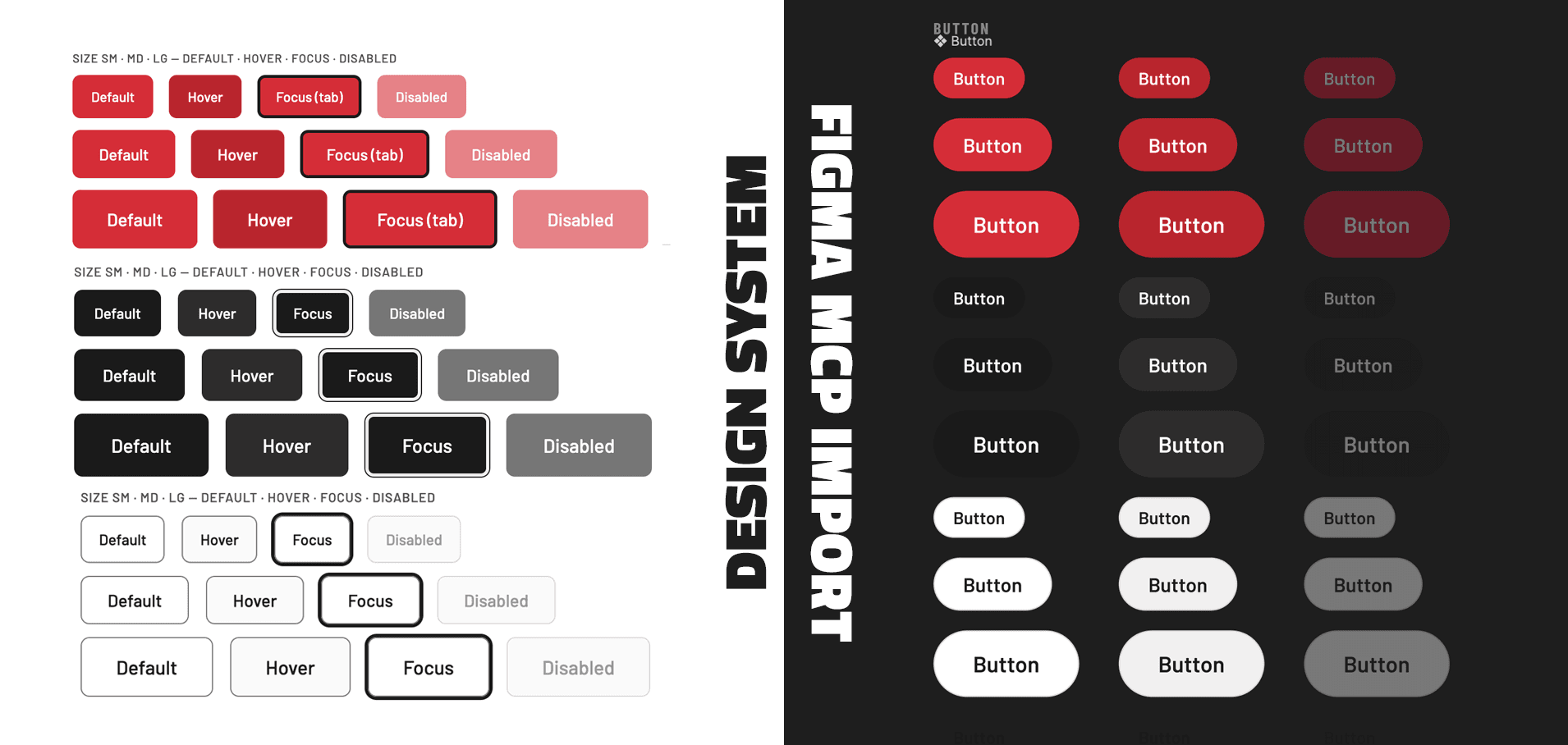
The problem wasn't purely technical the tool worked. The problem was conceptual: even the most capable MCP tool available isn't designed to build a design system from scratch starting from code. The mainstream flow is Figma → Claude Code, not the other way around.
Using it in reverse is possible. But the result requires manual work (connecting variables to components, correcting layers, rebuilding the primitive → semantic hierarchy in Figma) comparable to building the system from scratch directly in Figma.
The Verdict
This attempt answers the original question clearly: the code → Figma transition via MCP is not automatable today, at least not with the quality required for a professional design system.
The manual work remaining after the import is too significant to justify the process. Connecting variables to components one by one, correcting layers, rebuilding the primitive → semantic hierarchy in Figma, starting directly in Figma makes more sense.
But the attempt produced some useful answers:
Claude Code for generating and documenting a system works, with precise caveats. It works if you're the design director, if you define the structure, write the audit file, guide the corrections phase by phase. It doesn't work if you expect autonomous, professional-quality output from the first prompt.
Time is saved, but not where I expected. Generation is fast. Review remains human.
The designer's role shifts. Less production, more direction. Less drawing components, more defining rules, running audits, and making architectural decisions.
If I were to face the original scenario (a code-based system that needs to move to Figma) today I would use Claude Code to extract the tokens and semi-automatically recreate the Figma variables, but build the components directly on the canvas. I'd keep MCP for what it's designed for: bringing design context into code during development.
The Anvil design system exists, is documented, and has solid logic. It lives in code, not in Figma. And for now, that's fine.
The HTML Documentation
Want to explore the HTML documentation generated by Claude Code?
View the static site Anvil v.1.0.0 in a new tab