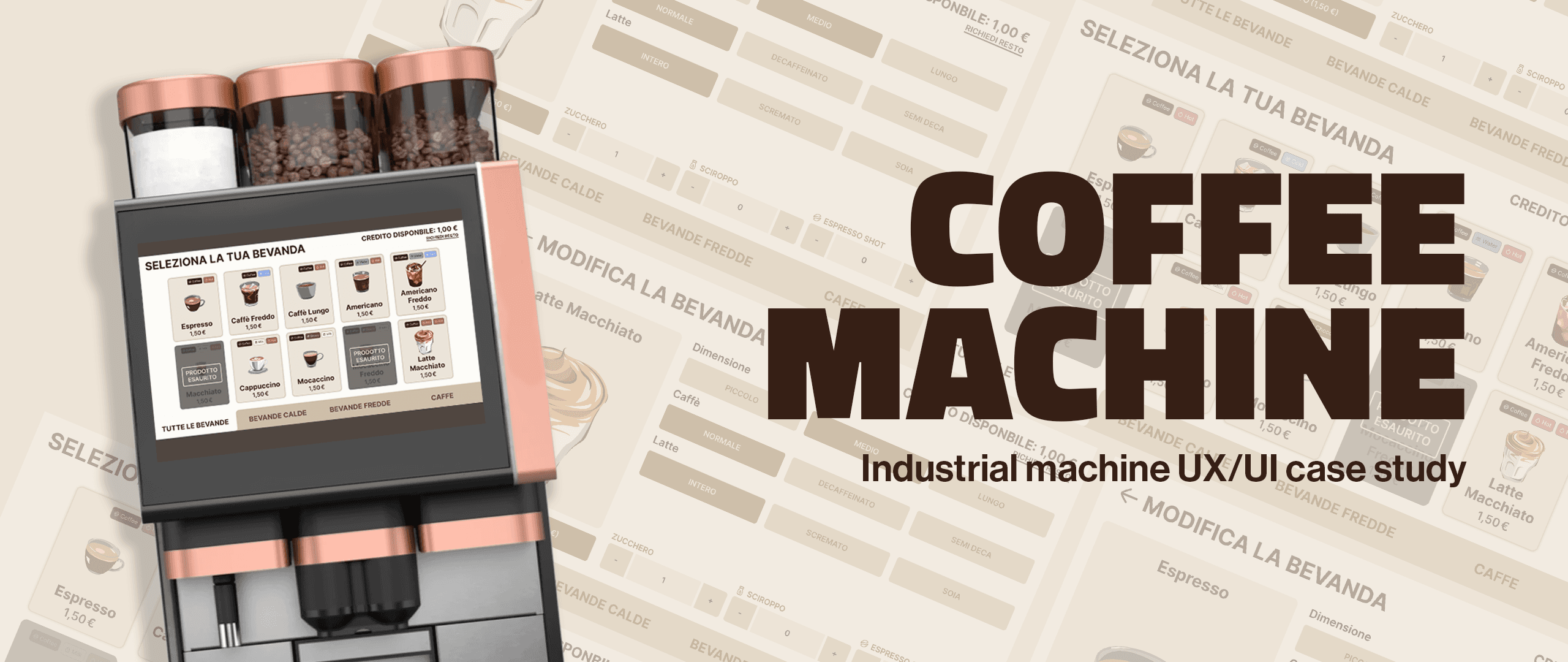
Case Study: Coffee Machine
ROLE
UI/UX Designer
TIMELINE
Jan 2026 - Feb 2026
SKILLS
- Interaction Design
- UI/UX Design
- User Research
SOFTWARES
- Excalidraw
- Figma
Introduction
The goal was to design the interface for a shared coffee machine for industrial settings — hotels and large offices — serving a diverse user base ranging from casual guests to busy employees.
The design challenge was creating an intuitive, efficient, and user-friendly interface that could accommodate various preferences while maintaining the robustness required for a high-traffic environment.
Actions
I observed how users interact with existing coffee machines and vending machines, paying close attention to their natural behaviors, pain points, and typical workflows. This allowed me to map the user flow and identify critical moments where the interface could either simplify or complicate the experience.
Wireframing & User Flow
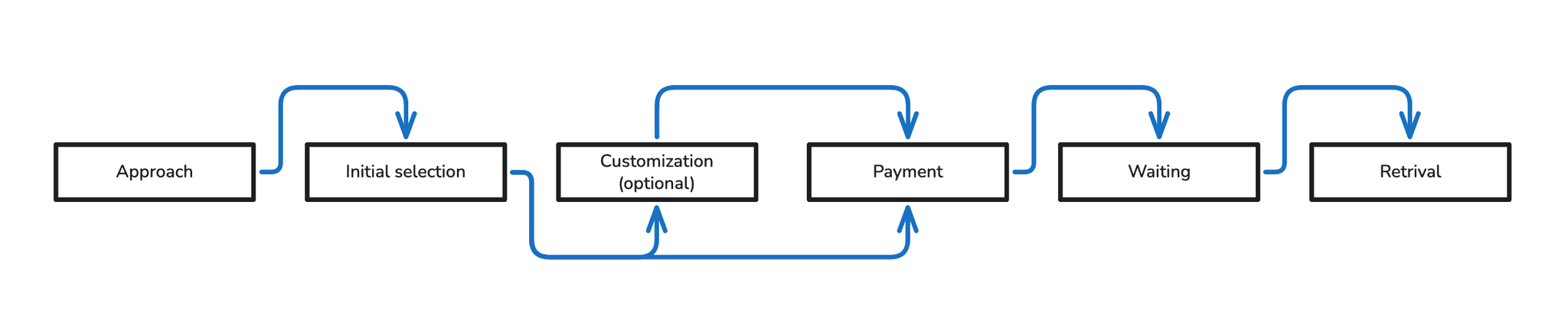
Wireframes
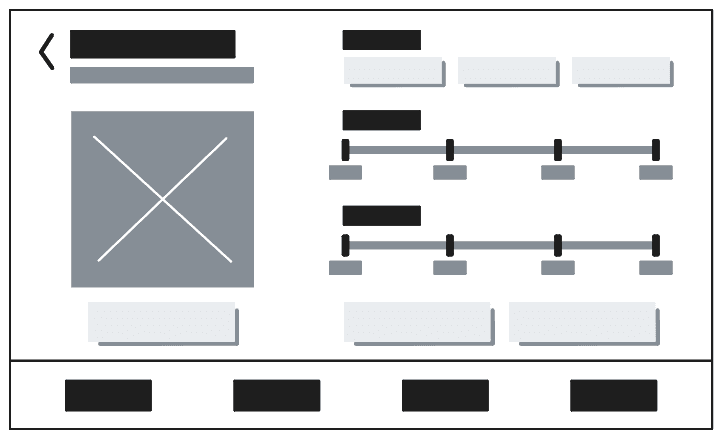
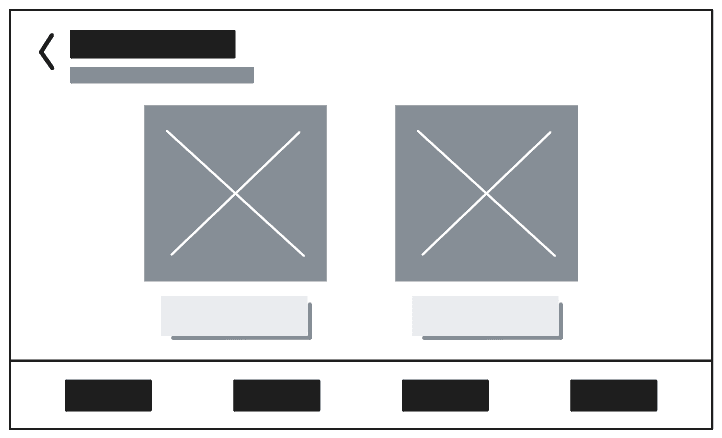
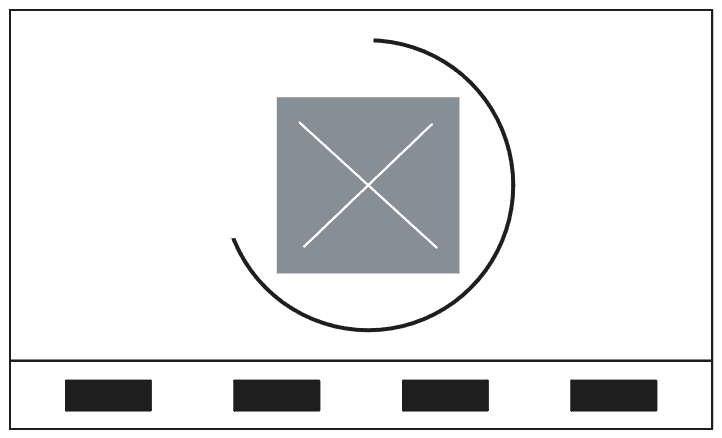
Following the user flow analysis, the next step translated insights into concrete visual structures. Wireframing allowed for a rapid exploration of layout options and interaction patterns, focusing on functionality and information hierarchy without the distraction of visual aesthetics.
User Flow
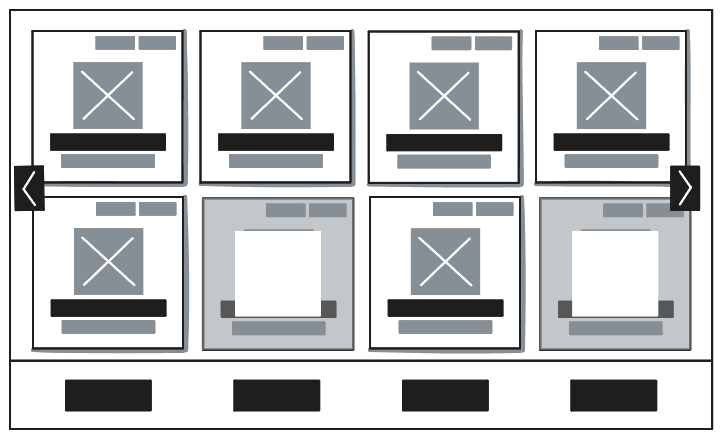
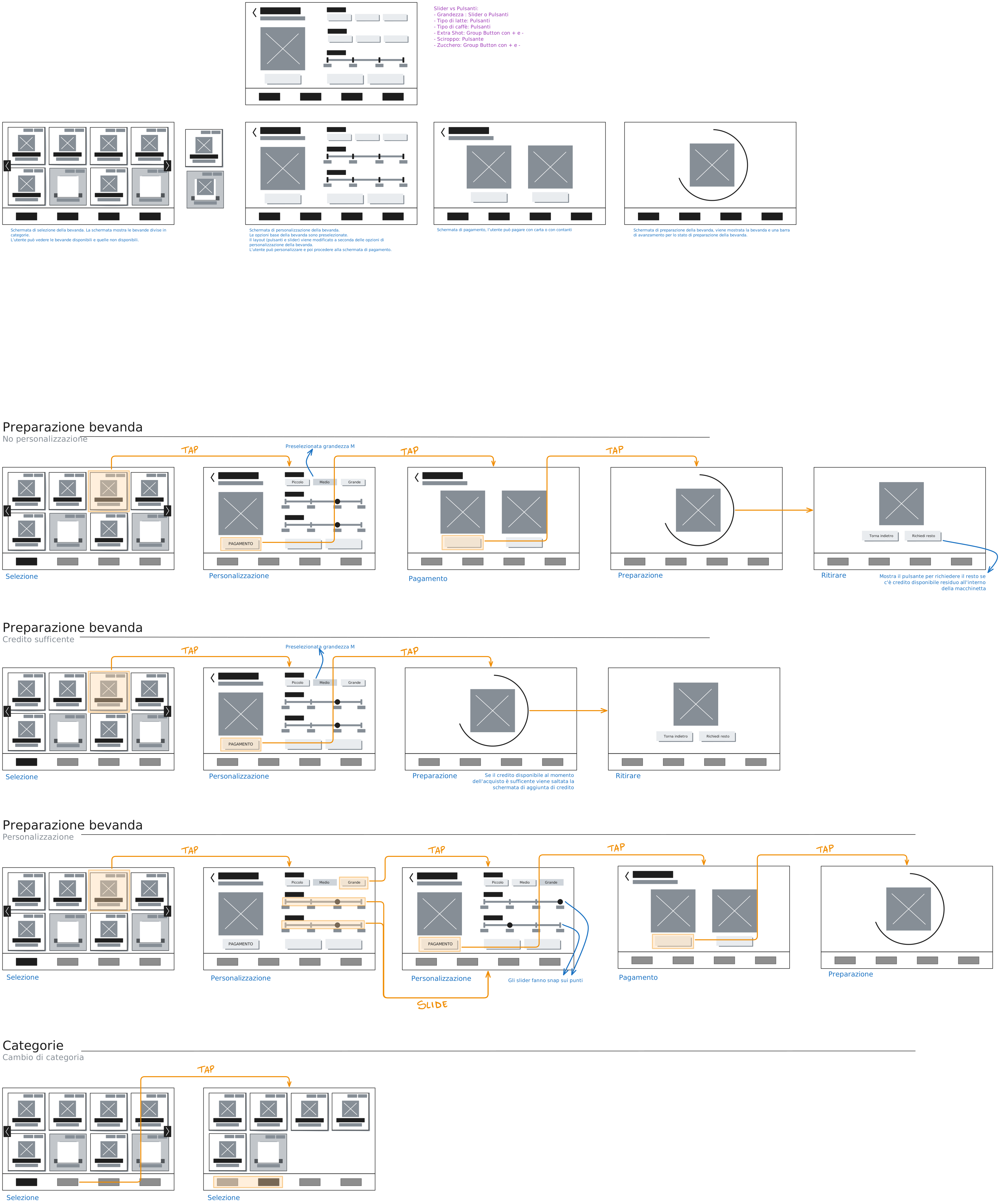
The comprehensive user flow diagram visualizes the complete journey from initial interaction to final beverage delivery. Each step is designed to minimize cognitive load and reduce the chance of user error.
Every transition in the flow must provide clear feedback — the user should never wonder what the machine is doing.
UI Design
With structure and user flow established, the next phase focused on bringing the interface to life. The goal was to translate functional layouts into a visually appealing experience aligned with the premium environment of hotels and modern offices — clarity, accessibility, and a clean aesthetic guiding every decision.
Color Palette
A foundation of clean, neutral tones ensures a modern appearance that blends seamlessly into upscale environments. Accent colors highlight interactive elements and provide feedback, while the palette was selected with accessibility in mind — sufficient contrast for readability across different lighting conditions.
Core Interface Colors
Foundational colors defining the overall look and feel of the interface.
Ingredient Representation
Colors providing intuitive visual cues aligned with real-world associations.
Typography
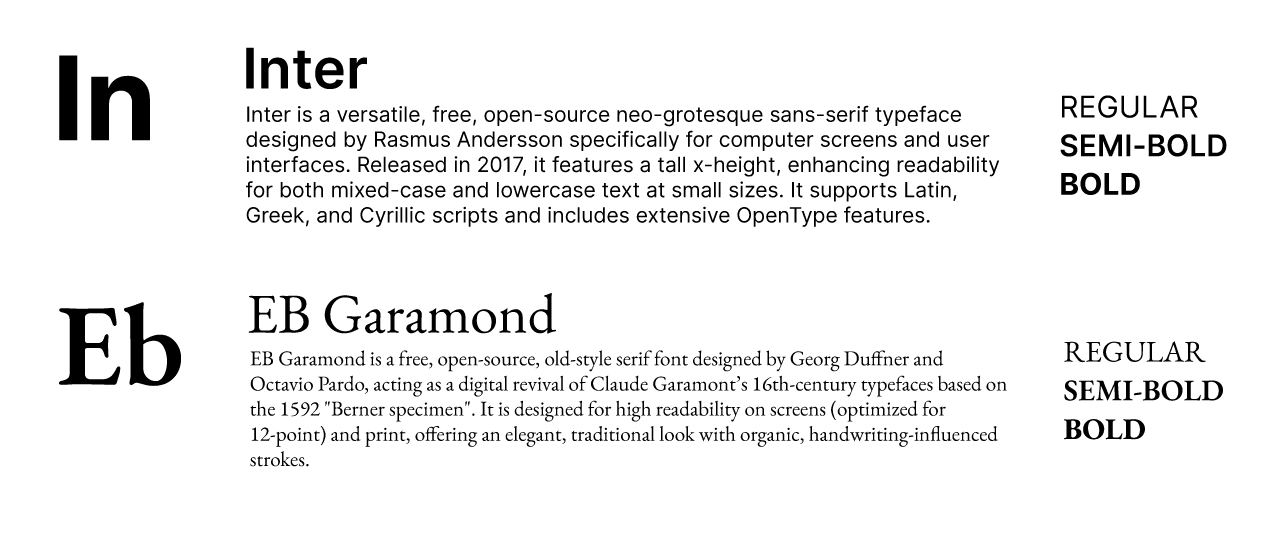
Typography was selected to ensure readability, establish a clear information hierarchy, and contribute to the premium feel of the interface. A sans-serif for primary content ensures crispness and legibility on digital displays, complemented by a more expressive typeface for headings and interactive elements to reinforce the brand's friendly yet sophisticated tone.